





Personal Access Key
Tedee devices are compatible with dozens of cloud-based integrations, using your local Wi-Fi connection and Tedee Bridge to connect your smart locks to the internet. Such integrations allow remote control of your door lock, remote access management, and much more.
Whether it is a cloud-based smart home system, a short-term rental access management platform, or another tool, these solutions must be authorized to control and manage your device over the internet. To keep those integrations secure, a Personal Access Key must be generated by the smart lock Owner or Administrator in the Tedee Portal and shared with the integration provider.
The Personal Access Key can be used to connect Tedee systems to another provider through a third-party platform control panel or via cloud API terminals.
Note: A Personal Access Key allows remote control of your smart lock, including unlocking it. Only share your Personal Access Key with trusted third-party platforms and service providers. Tedee is not responsible for access obtained using Personal Access Key(s) shared by the smart lock user.
To generate a Personal Access Key:
Go to the Tedee Portal at https://portal.tedee.com and log in using your Tedee account credentials.

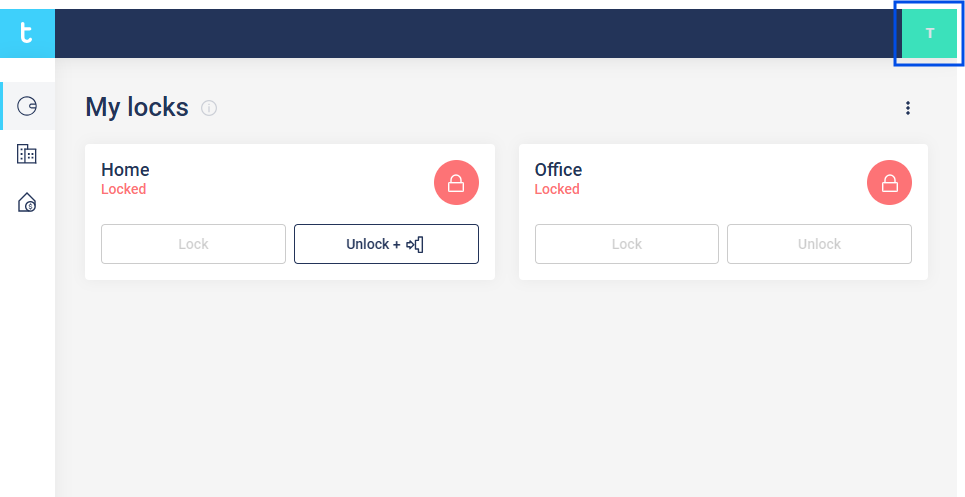
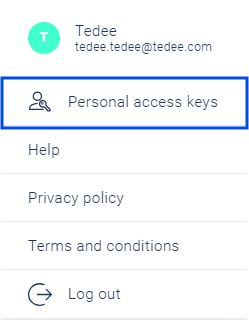
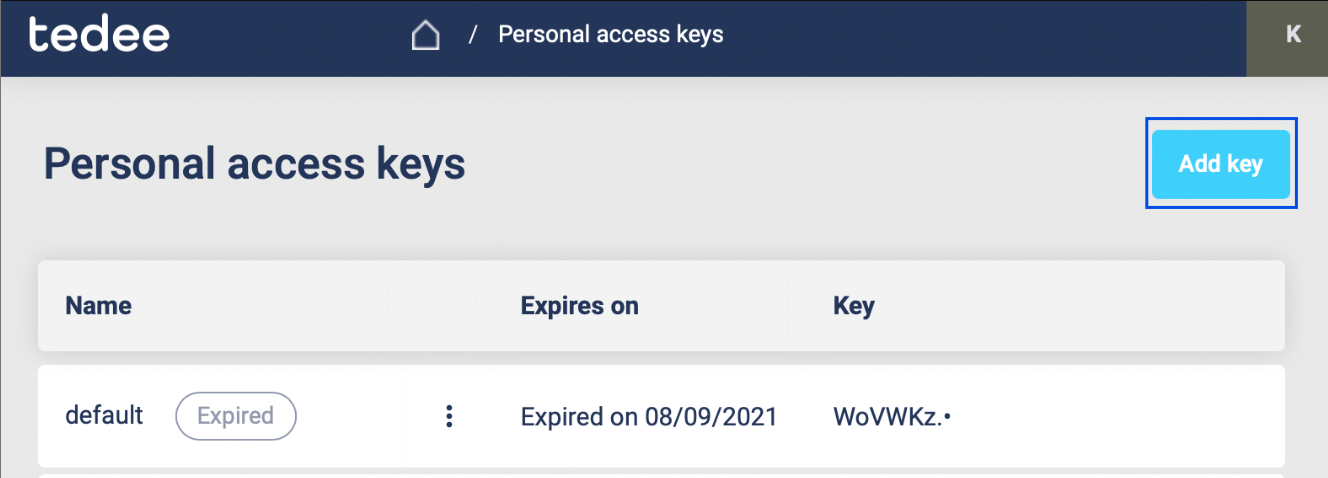
Press your initial in the top-right corner and choose “Personal access keys”.
Press the “Add key” button.
In the side panel, enter the Personal Access Key name and expiration date.
Use the checkboxes to select the permissions this key will grant to the integration.
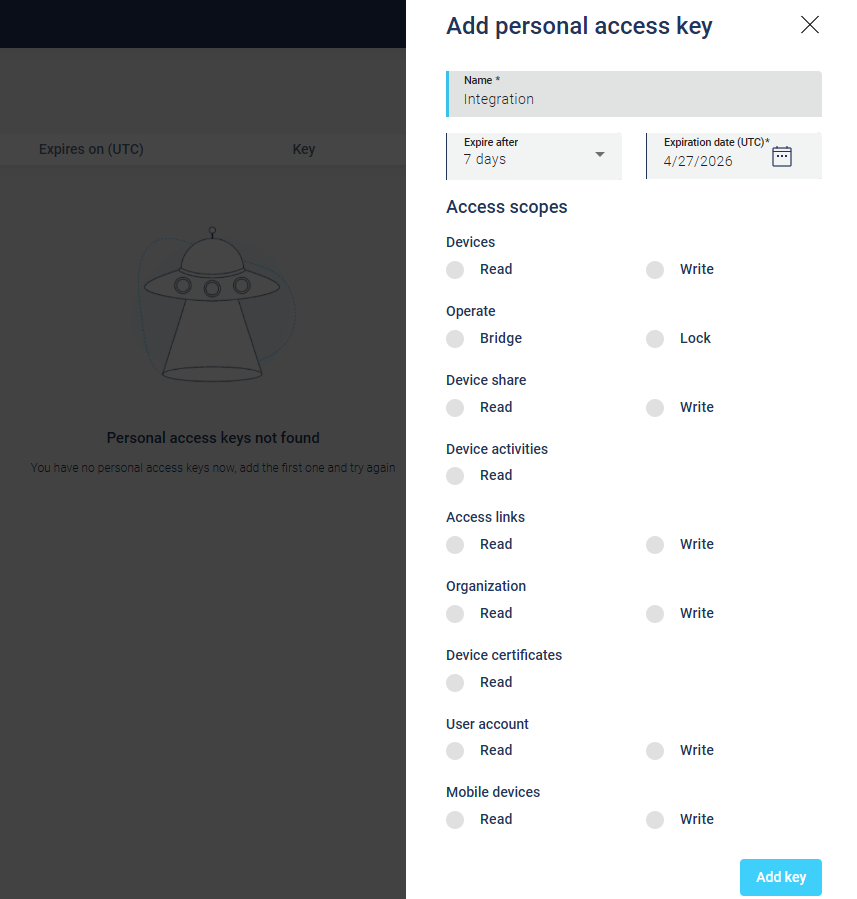
Usually, the minimum permissions required for a basic integration are:
- Lock – Operate
- Device – Read
Consult your integration provider to confirm whether additional permissions are required.
Confirm by pressing the “Add key” button.
Your Personal Access Key will then be displayed. Copy it to your clipboard and paste it into your integration settings.
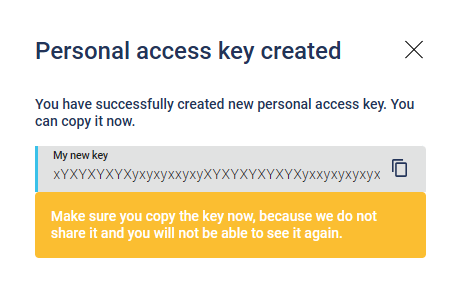
A Personal Access Key cannot be displayed again. If you lose the key, you must generate a new one. Keep it secure and share it only with trusted service providers.
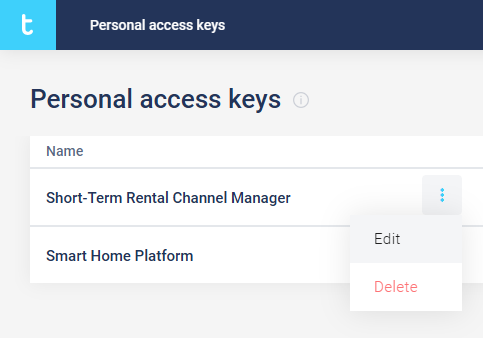
You may use your devices with multiple Personal Access Keys and numerous cloud-based integrations. On the Personal Access Keys screen, you can view all your keys.
By pressing the options button next to a key name, you can edit its settings, including its expiration date and permissions, or delete the Personal Access Key.