


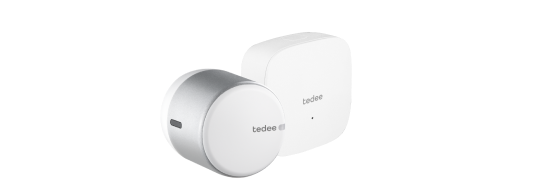





Tedee GO2 now works with Matter. Your Tedee GO does, too!
Seamlessly use your Tedee GO2 and Tedee GO smart locks with Apple Home, Google Home, Amazon Alexa, Samsung SmartThings, and more. The latest free firmware update enables Matter compatibility for all new and existing Tedee GO and Tedee GO2 devices, making the original GO smart lock a go-to choice for affordable and reliable smart home access.
Matter is a next-generation smart home technology that provides seamless integration of IoT devices from different manufacturers with major smart home platforms. By expanding integration flexibility, Matter eliminates the need for brand-specific apps, hubs or gateways, instead integrating devices into a single platform.
Tedee delivers one of the richest and most complete Matter integrations currently available in the smart lock industry. Compared to leading competitors, Tedee supports advanced access control, full user and credential management (including Matter-based PINs), door status (if the lock is paired with the Tedee Door Sensor), as well as auto-relocking, pull-spring functionality, and standardized battery
The latest firmware update activates reliable, secure, and fast Thread connectivity in Tedee GO2 and Tedee GO smart locks. At the same time, Tedee GO and Tedee GO2 smart locks become fully compatible with Matter, ensuring broad support across leading smart home standards and bringing advanced features and automations to your door more easily than ever.
Read more below to learn about the benefits of using Tedee GO and Tedee GO2 with Matter and the details of this compatibility.
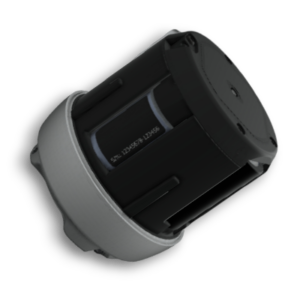
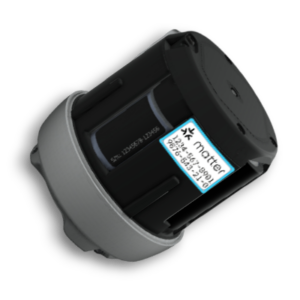
What you need to knowMatter setup for Tedee GO and Tedee GO2 requires a Thread Border Router at your property. To integrate your existing Tedee GO or Tedee GO2 with Matter, update your device firmware and use the Matter Setup Code generated in your Tedee app. In 2026 new Tedee GO2 smart locks will begin to include a Matter Setup Code sticker on the battery compartment. These devices can be integrated, calibrated, and managed via Matter without the need for the Tedee app. |
What is Matter?
Matter is a new smart home connectivity standard developed by the Connectivity Standards Alliance (CSA), backed by leading companies such as Apple, Google, Amazon, Samsung, and many others.
Its main purpose is to solve one of the biggest challenges in smart homes: compatibility. Before Matter, smart devices had to be integrated platform by platform, each using its own standard and process. This meant that a device compatible with one system would not necessarily work with another. With Matter, a single compatibility standard allows devices to work together reliably, securely, and across all supported platforms.
What do you need for Matter?
Tedee GO and Tedee GO2 connect to Matter over Thread, a modern wireless technology. Thread connection performance is one of the biggest differentiators in the new generation of smart locks, and Tedee fully embraces this technology—providing fast response times, stronger range across large homes, and better reliability than many Wi-Fi-based solutions.
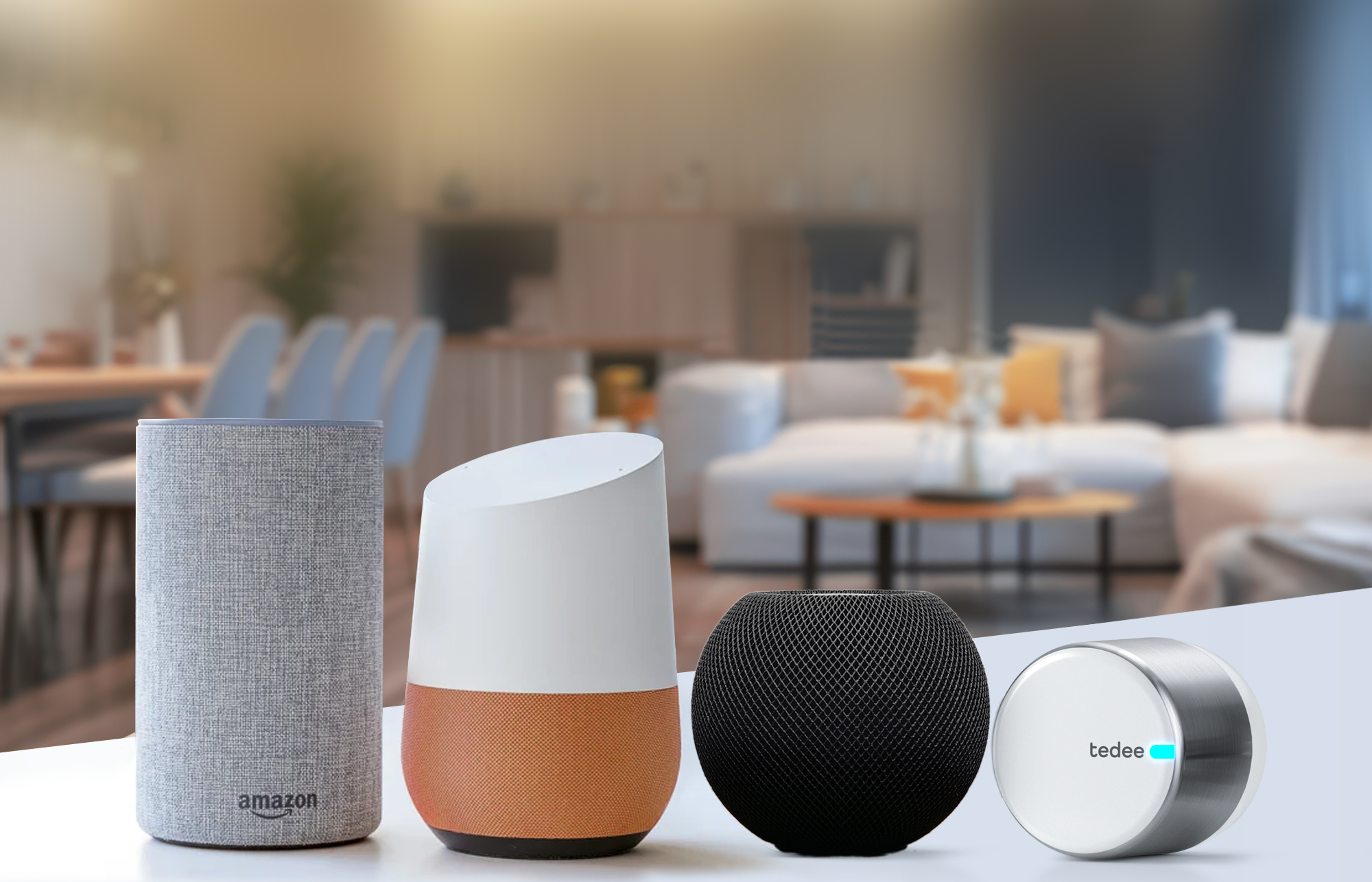
To use your Tedee GO or Tedee GO2 smart lock with Matter, your setup must include a Thread Border Router linked to your home internet connection. This role can be filled by hubs with built-in Thread functionality, such as compatible Google Nest Hubs, Apple TV 4K, Apple HomePod speakers, or Amazon Echo devices. The latest models of Samsung TVs, monitors, and soundbars also feature built-in Thread Border Routers.
You may also use other third-party Thread Border Routers available on the market, but a Matter controller hub for the smart home platform of your choice is still required.

What Thread Border Router do I need for my smart home system?
Browse certified Thread Border Router devices here >>
 |
 |
|
Apple TV 4K (3rd generation) Wi-Fi + Ethernet / Apple TV 4K (2nd generation) / HomePod (2nd generation) / HomePod mini |
Echo (4th Gen) / Echo Hub / Echo Show 21 / Echo Show 15 ( 2nd Gen) / Echo Show 10 (3rd Gen) / Echo Show 8 (3rd Gen) / Echo Plus (2nd Gen) / Echo Studio (1st and 2nd Gen) / eero 6 and eero 6+ / eero 7 / eero Beacon / eero Max 7 / eero Outdoor 7 / eero PoE 6 / eero PoE gateway / eero Pro / eero Pro 6E and eero Pro 6 / eero Pro 7 |
 |
 |
|
Nest Hub (2nd gen) / Nest Hub Max / Nest Wi-Fi Pro (Wi-Fi 6E) / Google TV Streamer (4K) |
Aeotec Smart Home Hub / Samsung SmartThings Station / SmartThings Hub V3 Select Samsung TVs, projectors, monitors, soundbars / Family Hub fridges and 9-inch LCD fridges / Selected washer/dryer combos |
The list of compatible devices may change or expand. Consult the information supplied by your smart home platform provider for the most up-to-date range of accessories.
Make sure your Tedee GO2 is installed within the Thread coverage range of your Thread Border Router or other Thread routers in your setup (for example, smart plugs). Typically, Thread range extends 10–30 meters indoors, depending on your property’s layout and conditions.
The Tedee Bridge is not required to access your Tedee smart lock remotely after it’s integrated with Matter. However, you may still choose to use the Tedee Bridge to benefit from Tedee-specific features, such as Tedee Portal, access link sharing, automatic firmware updates, and live push notifications.
How Tedee GO(2) works with Matter
Tedee GO2 and Tedee GO support Matter 1.4.2, making them compatible with the functionalities provided by the standard. Once integrated, your smart lock can be controlled natively through Amazon Alexa, Apple Home, Google Home, Samsung SmartThings, or another Matter-compatible platform. Please note that how these features appear and are configured depends on the specific smart home platform you use.
Features offered by Tedee GO and Tedee GO2 via Matter platforms include:
- Automatic relocking based on a timer
- Automatic unlocking based on your platform’s automation triggers
- Monitoring smart lock status and battery level
- Sharing access via your smart home platform tools
- Viewing event logs of smart lock activity
- Receiving notifications via your platform’s notification tools<
Please note that the availability and exact implementation of these features depend on the smart home platform used.
Learn more in our complete guide to the Matter integration here >>
Although Tedee Keypad PRO and Tedee Door Sensor do not integrate with Matter directly, when configured using the Tedee app they enrich your smart lock’s Matter-based operation.
When paired with a Tedee Door Sensor, your Matter-based smart home platform can show the current door status (open / closed) alongside the smart lock state (locked / unlocked).
When paired with a Tedee Keypad PRO, selected Matter-based smart home platforms enable PIN unlocking of Tedee GO and Tedee GO2. The main PIN, set up during the smart lock’s Matter integration, allows permanent access and is shared with your smart home’s residents (users who have access to your entire home).
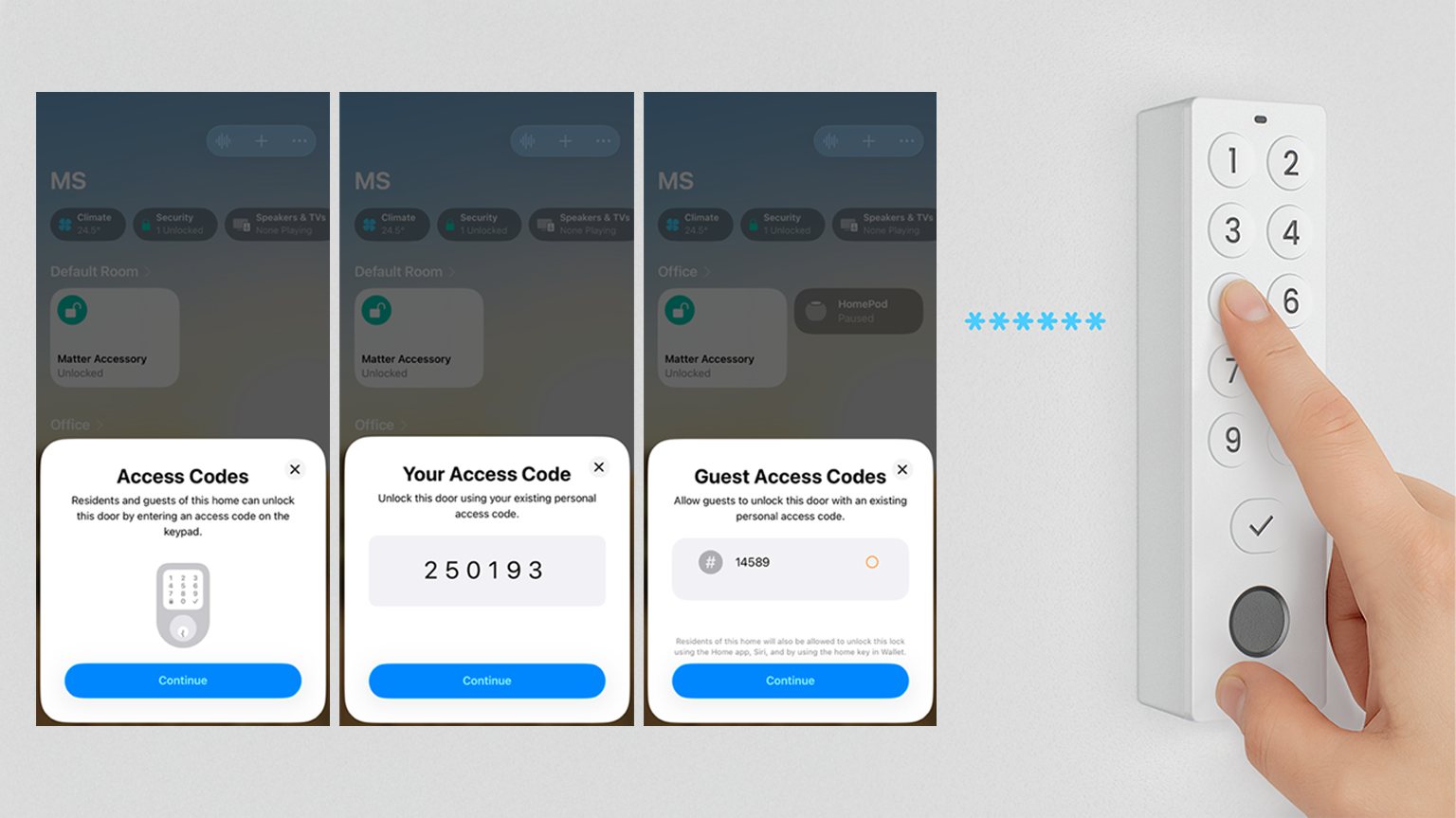
Separately, through your Matter-based platform you can generate up to 20 guest PINs. You can activate or deactivate them manually or use temporary permissions if your platform supports them.
To make the additional functionality provided by Tedee Keypad PRO and Tedee Door Sensor available in Matter controller apps, you must configure these devices in the Tedee app. This configuration is required for their features to remain available throughout the entire period of use.
Do I need the Tedee app?
Your smart lock can be used simultaneously with both the Tedee app and Matter apps, offering maximum flexibility. Although essential smart lock features can be managed via your Matter-based smart home platform, using the Tedee app provides additional benefits:
- Free firmware updates
- Advanced automatic unlocking
- Precise access sharing with user levels (Owner / Administrator / Guest) and permissions (Permanent / Recurring / Temporary)
- Detailed activity logs
- Pairing and configuration of Tedee accessories
How to integrate Tedee GO(2) over Matter?
If your smart lock is:
| Tedee GO or Tedee GO2 Purchased without a Matter Setup Code sticker on the battery compartment |
Tedee GO2 Purchased with a Matter Setup Code sticker on the battery compartment |
 |
 |
|
Update your smart lock’s firmware to version 2.1 or later using the Tedee app. AND |
You may use the Matter Setup Code from the sticker to integrate the lock with your Matter-based smart home system without the Tedee app. This option is available only if the lock has not yet been added to a Tedee account. OR |
|
Use the Matter section in your device’s settings in the Tedee app to integrate your smart lock with your Matter-based smart home system.
|
|
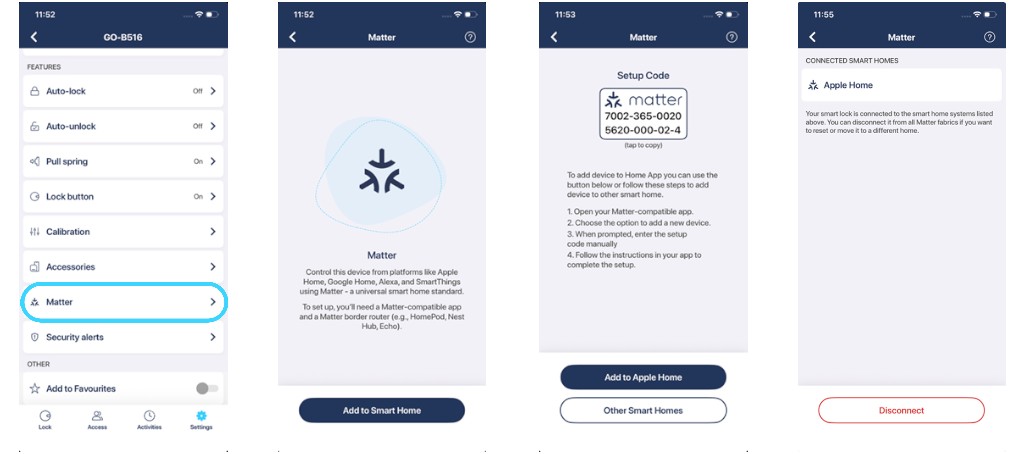
Learn more in our complete guide to the Matter integration here >>


